For Vaytax clients · your account
Give your accountant or a colleague their own login
Up to five people can have their own login to your Vaytax account: someone on your team, or the accountant who does your books. They can send us your figures; we check them and file the return. Billing and signing stay with you.
- Up to 5 peoplebesides you, each with their own login
- No extra costincluded in every plan
- You stay in controlyou invite and remove people
Who can do what
When you invite someone you choose one of two roles: Team member (“Member” below) for someone on your staff, or Accountant for your own bookkeeper or accountant.
| You | Member | Accountant | |
|---|---|---|---|
| See your filings, documents, messages and deadlines | Yes | Yes | Yes |
| Upload sales reports, enter figures and send them to us | Yes | Yes | Yes |
| See invoices and billing | Yes | Yes | No |
| Change the plan, invite or remove people | Yes | No | No |
| Sign for the company: power of attorney (Vollmacht), engagement letter, direct-debit mandate | Yes | No | No |
Whoever sends the figures, we check them and file the return, as before. People you only copy on our e-mails stay copied; they do not need a login.
How it works, in four steps
-
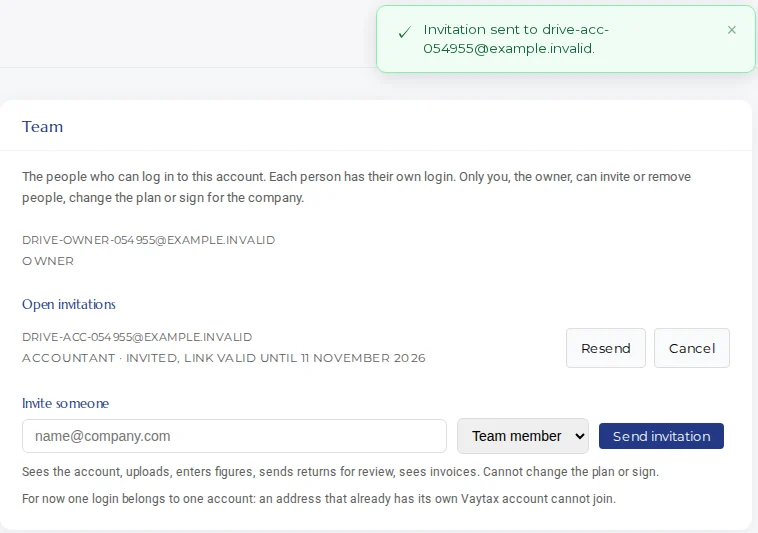
Invite them from Settings, Team
Log in, open Settings, then Team. Enter their e-mail address, choose Team member or Accountant, and click Send invitation. The first time you invite someone, we ask you to confirm one sentence for your engagement letter (Mandatsvereinbarung); the German text is binding and an English translation is shown next to it.
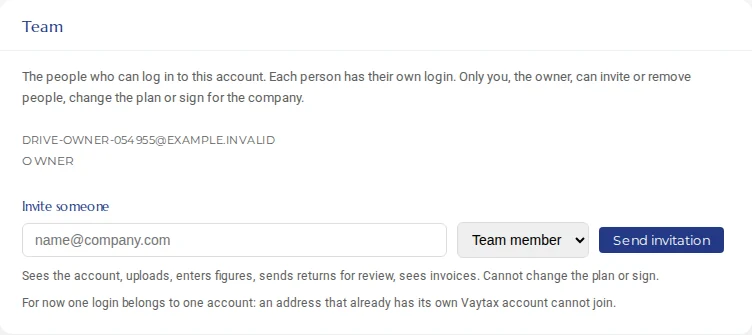
Settings, Team. Example account with test data. -
They get an e-mail and create their login
They receive an e-mail titled “You are invited to the Vaytax account of” your company. The link works once, only for that address, and for 7 days. They choose a name and a password of at least 12 characters, and they are in. For now an address that already has its own Vaytax account cannot join another one.
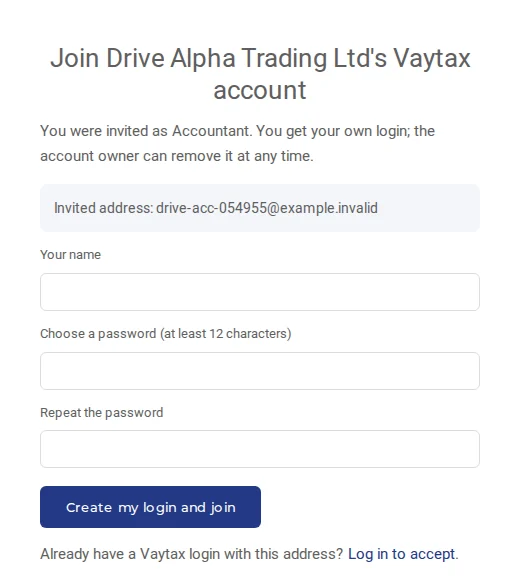
What the invited person sees. Example account with test data. -
They see your account and can send us figures
After they log in they see your account as you do: filings, documents and messages. They can upload your sales reports or enter the figures, and send the return to us. We check it and file it with the tax office (Finanzamt).
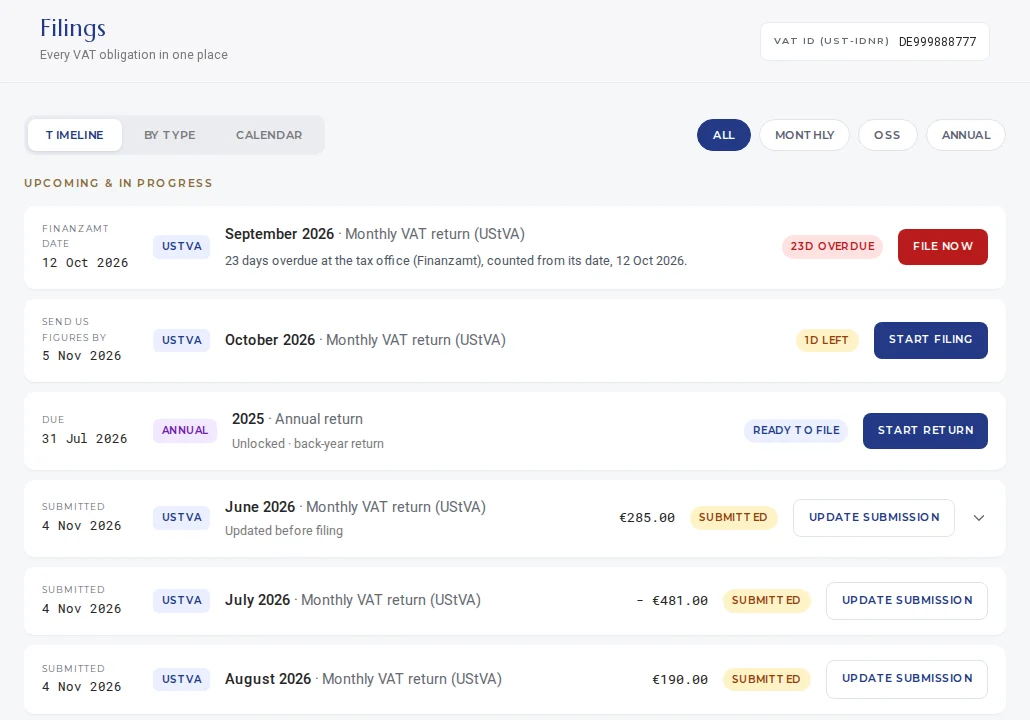
An accountant's view of the Filings page. Example account with test data. -
Remove someone at any time
In Settings, Team you see everyone with a login and every open invitation. Click Remove next to a person, or Cancel next to an invitation. A removed person loses access the next time their page loads.
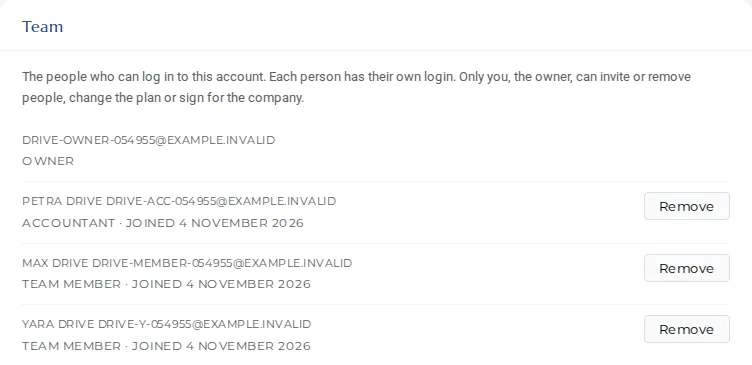
Everyone with a login, with Remove. Example account with test data.
Questions
Does a team login cost extra?
No. Up to five people besides you can have their own login to your account, at no extra cost.
What can a team member or accountant not do?
They cannot change your plan, invite or remove people, or sign for your company: the power of attorney (Vollmacht), the engagement letter and the direct-debit mandate stay with you. An accountant also sees no invoices or billing.
How do I remove someone?
Open Settings, then Team, and click Remove next to the person. They lose access to your account the next time their page loads. You can invite them again later.
Invite someone now
Log in and open Settings, Team. It takes a minute.
Open Settings, TeamNot a client yet? See what every plan includes.